Microform Reader Printers: Vintage Viewing Technology
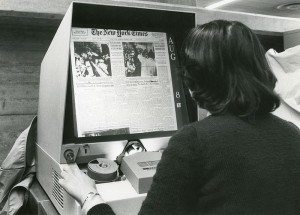
We recently spoke to a Crowley Digitization Services client who had a microform reader printer at home for the sole recreational purpose of reading old/out-of-print science fiction on microfiche. (For the layperson, a reader printer is a device used to magnify and view microfilm, microfiche, or other types of microform.) As we typically work in the corporate/public domain, this personal use intrigued us. How many others use microform at home? For what purpose? Where do they get the media? And the equipment?
Newer-model microform scanners are usually out of budget for an individual, which is why we typically see libraries or other public institutions purchasing them for patrons and staff to use. While we don’t consider individual users a potential market for Crowley microform scanners, it is ironic in the age of e-readers and digital libraries that there are folks who cozy up to a microform reader printer just for fun.
Our first step in satisfying our curiosity was to ask the audience. We posted a question to several LinkedIn Groups, not expecting an overwhelming response. We were surprised to find that a good number of people actually own and use microform readers in their own homes (and not just for working after-hours).
Why Analog in the Digital Age?
This is the big question. Why microform when there are so many digital options available? The primary reason we heard is that not all data is digital. Many records and publications produced over the last century or more have been written to microform, but for every image that is digitized, there are likely ten more that have yet to be scanned. So some users (like the woman who inspired this blog) use their microform reader printers to read publications that are no longer available in print and may not have been digitized yet. Others just do it for nostalgia.
A second reason given is research. Richard Saunders, dean of library services at Southern Utah University, states, “I have been working on a biography of historian Dale L. Morgan for many years. I bought a set of correspondence reels for myself to have at hand as I work on the biography.”
One of the most common responses we received was that reader printers are used for genealogical research. A LinkedIn responder from a genealogy group shared with us his story, stating “A MF [microform] scanner is a wild extravagance for personal use, but a great convenience if one can afford it. Having one enables me to do in-depth research I’d never be able to do if I had to go to a library. I’ve found hundreds of deeds, wills and other documents which let me build a more detailed picture of our ancestors and their extended families.”
Sherry Raleigh-Adams, owner and transcriber-in-chief of Gone West Publications, states, “I have owned a microfilm reader for several years and use it to transcribe and abstract genealogical data from old newspapers for my publications. It does not have a printer function, but I love having it in my home office so that I can work whenever it’s convenient without having to drive to the library.”
Where to Find Source Microform
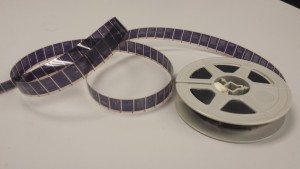
Those with the resources to do so often purchase the microfilm or microfiche from libraries, genealogical or historical societies, and even government agencies. Others use their research talents to find lower-cost options. Luana Darby from Utah states, “I do quite a bit of genealogical research and use my reader/printer for looking at microfilm and fiche that I have ‘inherited.’ I have census films and various microfiche from a family history library that closed. I also have other microfilmed records from smaller genealogical and historical societies that have closed over the years. Many times, the purchase price was only the cost of shipping the films to me.”
Several other respondents said they borrow the media from public institutions. “I borrow newspaper microfilm from the Missouri State Historical Society to transcribe genealogical data from the articles,” says Raleigh-Adams. “My research and website would be impossible if I had to spend all that time at the library. I have also purchased microfilm over the years from various institutions, something that has become increasingly more affordable.”
Where to Get the Equipment
Acquiring the equipment itself follows the same pattern. Some buy new, some buy used and others simply “inherit” the units. Saunders comments, “I have a 1980’s direct-projection machine that I picked up from a university bid sale sitting in a corner of my bedroom. I don’t have to worry about software incompatibility, upgrades, or patches – it simply lets me read what is on the film.” He continues, “Most manuscript material will never be digitized, nor should it be. It will be two lifetimes until the collections I use ever see digital light. Not every patron needs to print or capture. In my opinion, the old low-tech machines are perfectly serviceable options. I won’t part with mine until my book project is complete (which will be another decade at least).”**
Microform Reader Printer Alternate Options
While we don’t typically sell Crowley’s advanced version of the classic reader printer, the UScan+ Advanced, to individuals for personal use, we do have a range of alternatives. Microform scanning equipment may be rented on a monthly basis and we also offer refurbished equipment when available. Used equipment may be purchased from third parties, but there are several risk factors involved, so buyers are encouraged to go directly to a manufacturer or authorized vendor when purchasing used equipment.
Questions about Microform Scanning Equipment or Digitization Services?
If you have any questions about outsourcing the digitization of your collection with Crowley’s Digitization Services Bureau or would like to find out more about our new or refurbished microform scanners, contact The Crowley Company by completing our contact form.
*Image by University of Haifa Younes & Soraya Nazarian Library, licensed through Creative Commons.
**Crowley Comment: We completely agree with Mr. Saunders that older-model units are serviceable and adequate for personal use. However, this is not usually the case in corporate or production environments. Modern facilities require the robustness and advanced scanning features of newer models, such as the UScan.